
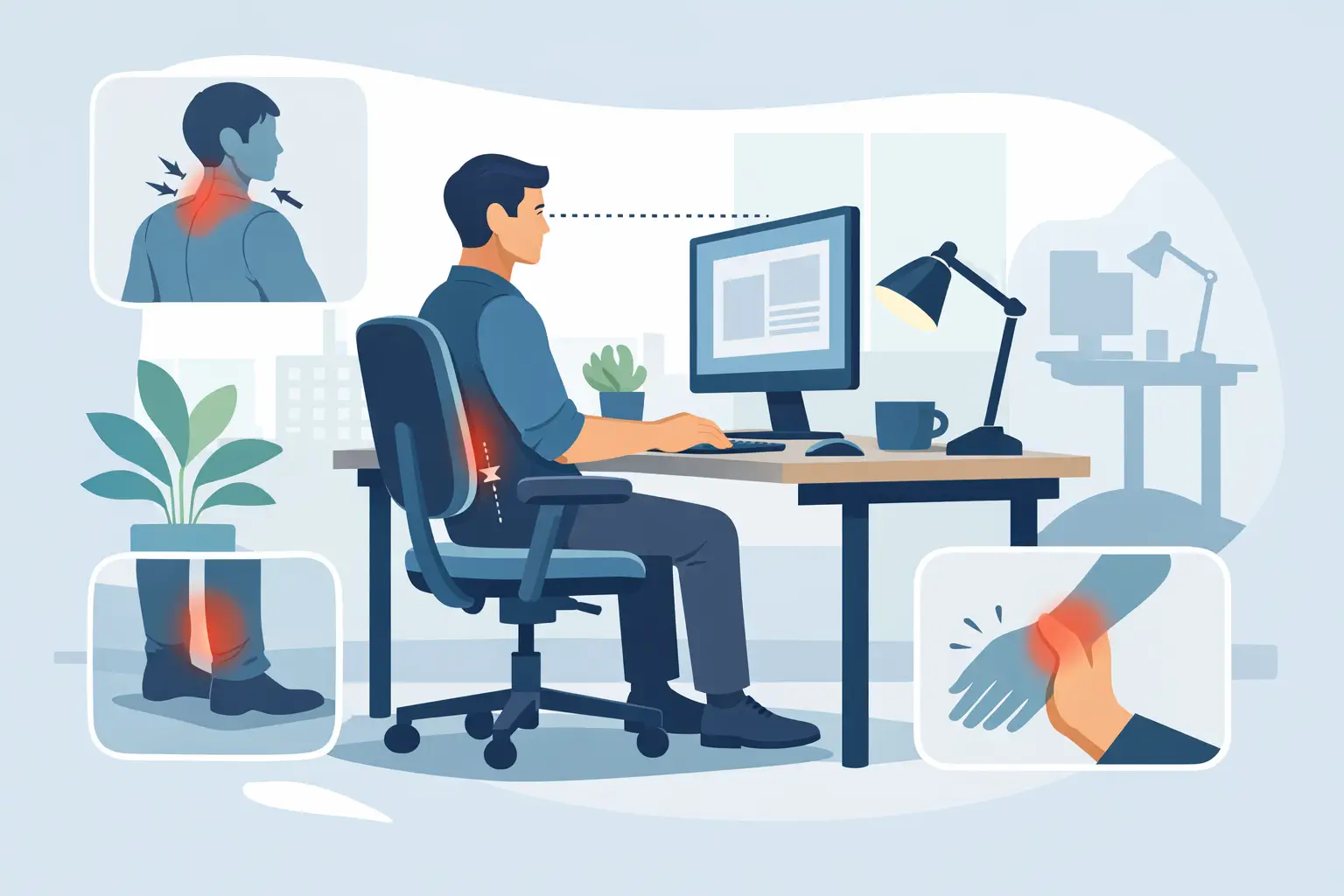
Desk Ergonomics Tips for Less Pain at Work
A laptop on the kitchen table, a second monitor set too low, and eight hours of barely moving can be enough to leave your neck tight and your low back aching by the end of the day. Good desk ergonomics tips are not about creating a picture-perfect workstation. They are about reducing repeated strain so you can focus, move comfortably, and finish work with less pain.
For many Calgary professionals, desk-related discomfort builds gradually. You may first notice stiffness when turning your head while driving, aching between the shoulder blades, headaches late in the afternoon, or tingling in your hands. Small workstation changes can help, but they work best when paired with regular movement and a plan for pain that does not settle.
Start With a Desk Setup That Fits You
There is no single correct desk setup because body size, job demands, past injuries, and equipment all matter. The goal is to arrange your work area so your joints stay close to a neutral, relaxed position rather than being held at the end of their range for hours.
Begin with your chair. Sit back so your lower back is supported by the chair’s lumbar curve or a small rolled towel. Your feet should rest flat on the floor or on a stable footrest, with your hips roughly level with or slightly higher than your knees. If your feet dangle, avoid solving the problem by sitting forward on the edge of the chair. A footrest, a firm box, or an adjustable chair is usually the better answer.
Set the chair height so your shoulders can relax while your forearms rest near desk height. Your elbows do not need to form a precise 90-degree angle, but they should be comfortably bent and close to your sides. If you have to shrug to reach the keyboard, the desk or chair relationship needs adjusting.
Place Your Screen Where Your Neck Can Relax
Your monitor should sit directly in front of you, not off to one side. Place the top of the screen around eye level or slightly below it, then adjust based on comfort and whether you wear progressive lenses. A screen that is too low encourages prolonged neck flexion. A screen that is too high can cause you to tip your chin upward.
Keep the screen about an arm’s length away, then increase font size before leaning closer. If you use two monitors equally, centre them together. If one is your primary screen, centre that one and keep the secondary monitor nearby. Repeatedly twisting toward a distant second screen is a common and avoidable source of neck and upper-back irritation.
Laptop users often need one extra change: raise the laptop screen and use a separate keyboard and mouse. A laptop forces a compromise between screen height and hand position. Raising it without an external keyboard strains the shoulders and wrists; leaving it low asks your neck to bend for the day.
Keep Keyboard and Mouse Work Within Easy Reach
Place your keyboard close enough that you do not reach forward with rounded shoulders. Keep the mouse beside it, not at the far edge of the desk. Your wrists should remain generally straight rather than resting in a sharply bent position.
A wrist rest can be useful during pauses, but it should not create pressure against the wrist while you type or mouse. If you use the mouse for long periods, consider alternating hands for simple tasks only if it feels natural, using keyboard shortcuts, or trying a different mouse shape. The best option is the one that lets your hand, wrist, and shoulder stay relaxed while you work.
Desk Ergonomics Tips That Matter More Than Perfect Posture
People are often told to sit up straight, then try to hold a rigid position all day. That approach can create more tension. Your body is designed to move, and even an excellent posture becomes uncomfortable when held too long.
Aim for a supported, comfortable position that you can change often. Shift your weight, stand for a call, walk to refill your water, or take a brief movement break between tasks. A useful target is to change position every 30 to 60 minutes. It does not need to be a workout. One or two minutes of walking, gentle shoulder rolls, or standing with your hands on your hips can interrupt the buildup of stiffness.
Try this simple workday pattern:
- Before starting work, adjust your chair, screen, keyboard, and mouse rather than adapting your body to the setup.
- Every half hour or so, look away from the screen, let your shoulders drop, and change position.
- Once or twice during the day, take a short walk and move your neck, upper back, hips, and ankles through a comfortable range.
- At the end of the day, notice what hurts and when it started. Those details can reveal whether your setup, workload, stress, or a specific activity is contributing.
Movement breaks are especially valuable if you are recovering from a previous injury or managing persistent pain. However, they should be gentle. Pushing through sharp pain, numbness, or worsening symptoms is not the same as building tolerance.
Do Not Forget the Rest of Your Workstation
Ergonomics extends beyond the chair and monitor. Lighting, phone use, document placement, and workload all affect how your body feels by 5 p.m.
Reduce glare by positioning your screen away from direct window reflections where possible. If you regularly refer to printed documents, place them upright beside the monitor instead of flat on the desk. This limits repeated downward neck bending. For frequent phone calls, use speakerphone or a headset. Holding a phone between your shoulder and ear can irritate the neck muscles and joints surprisingly quickly.
If you work from home, make the best practical adjustment you can, even if you do not have a dedicated office. A dining chair may need a lumbar support and a footrest. A stack of sturdy books can raise a monitor. These are reasonable short-term solutions, but if your work arrangement is permanent, an adjustable chair, external keyboard, and proper screen setup are worthwhile investments.
A sit-stand desk can also help, but standing all day is not automatically better than sitting all day. The benefit comes from alternating positions. Start with short standing periods and wear supportive footwear. If standing increases low-back, foot, or leg pain, change gradually and consider whether another issue needs assessment.
When Desk Pain Needs More Than an Adjustment
Workstation changes can reduce strain, but they cannot address every cause of pain. Neck pain may be linked to reduced mobility, muscle sensitivity, headaches, a past injury, or stress-related tension. Low-back pain can involve prolonged sitting, poor sleep, deconditioning, hip stiffness, or a previous episode that has never fully settled. Wrist and hand symptoms may need closer attention when repetitive work is involved.
Book an assessment with a licensed healthcare professional if pain lasts more than a couple of weeks, keeps returning despite changes, limits sleep or work, or is getting worse. New numbness, tingling, weakness, loss of coordination, or pain travelling into an arm or leg also deserves timely assessment. Urgent medical care is appropriate for severe symptoms following trauma, sudden weakness, or changes in bowel or bladder control.
At Royal Oak Physio, Chiro, and Massage Clinic, a physiotherapist, chiropractor, massage therapist, or other appropriate practitioner can assess how you move, identify contributing factors, and build a practical plan around your work demands. Treatment may include hands-on care, targeted exercise, education, and recommendations for modifying your workstation without making your job harder.
Make Comfort a Work Habit
The most effective desk setup is the one you can maintain consistently. Start with the changes that are easiest: bring the screen up, bring the mouse closer, support your feet, and schedule movement into your day. Then pay attention to your symptoms rather than accepting daily pain as part of office work.
Your desk should support the work you need to do, not leave you recovering from it every evening. If discomfort is interfering with your movement, sleep, or ability to get through the day, a personalized assessment can help you move better and hurt less.
Pingback: How to Rehabilitate Hip Replacement Safely - Royal Oak Physio, Chiro and Massage Clinic