
How to Fix Desk Posture and Ease Daily Pain
A stiff neck that builds through the afternoon, aching shoulders after video calls, or a low back that protests on the drive home are common signs that your desk setup and work habits need attention. Learning how to fix desk posture is not about holding yourself rigidly upright for eight hours. It is about creating a comfortable workspace, changing positions often, and addressing the strength, mobility, or pain issues that make sitting feel difficult.
For many Calgary professionals, desk-related discomfort starts gradually. You may lean toward a laptop, crane your neck to read a second screen, or sit through meetings without moving. Small habits add up. The good news is that practical changes can reduce strain and help you move better throughout the day.
What Good Desk Posture Actually Looks Like
There is no single perfect posture that every body must maintain. The best desk posture is one you can change regularly while keeping your joints reasonably supported and your muscles from working overtime.
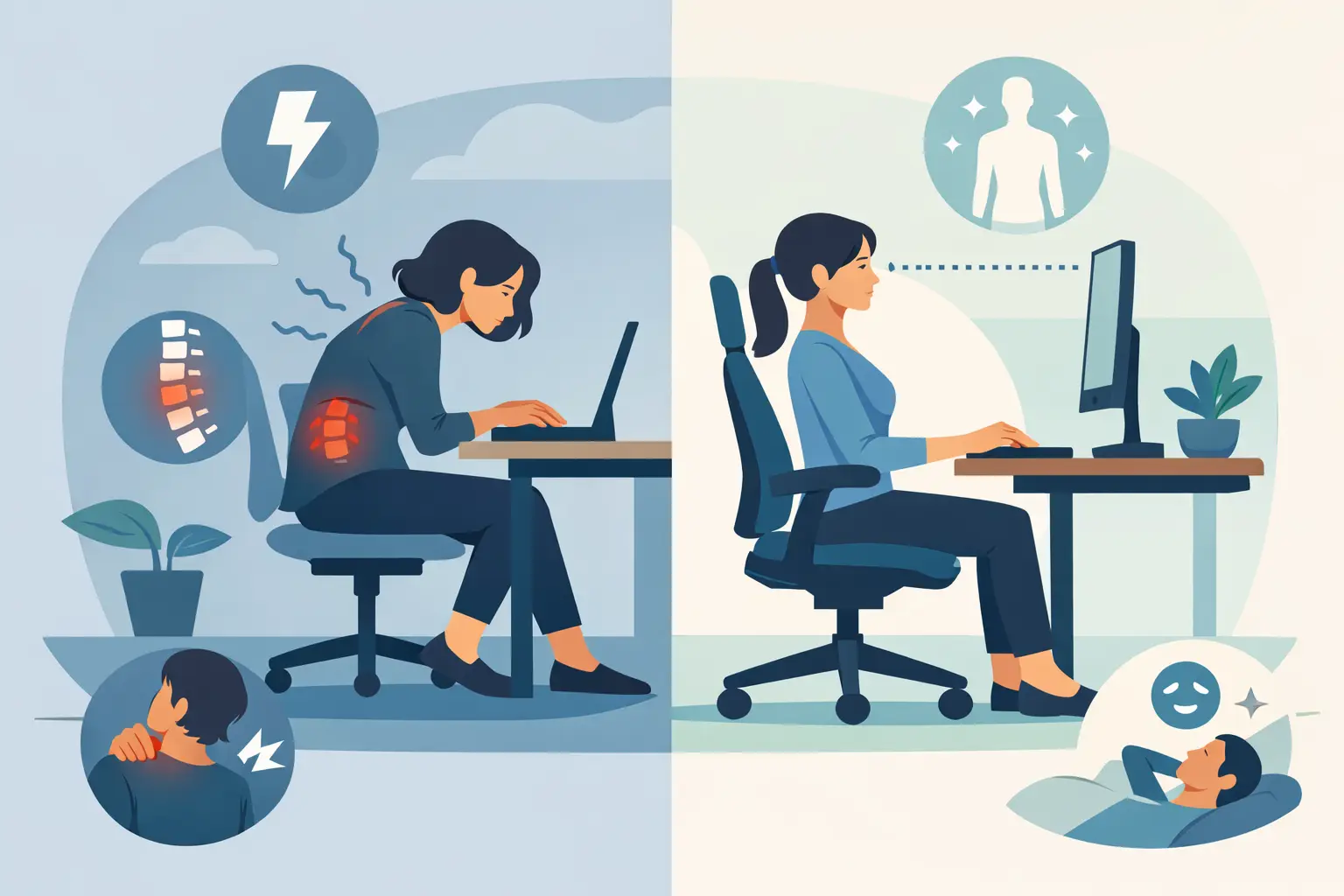
Start with a neutral, relaxed position. Your feet should be supported by the floor or a footrest, with your knees roughly level with or slightly below your hips. Sit back in your chair so the backrest supports your lower back. Your shoulders should feel relaxed rather than pulled back forcefully, and your elbows should rest near your sides at about a 90-degree angle.
Your screen matters just as much. The top third of the monitor should generally sit near eye level, at a distance that lets you read without leaning forward. If you use two monitors, place the one you use most directly in front of you. If both screens receive equal use, position them close together and angle them slightly inward.
A good setup reduces unnecessary strain. It does not require you to freeze in one position all day.
How to Fix Desk Posture Step by Step
Adjust your chair before anything else
Your chair is the foundation of your workstation. Raise or lower it until your feet are flat and your thighs are supported without pressure behind the knees. If your feet cannot reach the floor after adjusting your chair to the proper desk height, use a stable footrest or a firm box.
Use the chair’s lumbar support, if available, so the natural curve of your low back is supported. A small rolled towel can help if your chair feels flat. Avoid perching on the front edge of the seat for long periods. It may feel alert and productive at first, but it often asks the low-back and hip muscles to do more work than necessary.
Bring your work to you
Many desk posture problems are really reach-and-strain problems. A monitor that is too low pulls the head forward. A keyboard that is too far away encourages rounded shoulders. A mouse placed off to one side can overload the neck, upper back, and forearm.
Place your keyboard close enough that you do not need to reach. Keep your mouse beside it and consider using a headset for frequent phone calls instead of holding a phone between your shoulder and ear. If you work from a laptop, a laptop stand combined with a separate keyboard and mouse can make a meaningful difference. Raising only the laptop may improve your neck position but make typing awkward, so both pieces matter.
Make movement part of the setup
Even an excellent chair cannot make prolonged sitting harmless. Muscles and joints generally tolerate desk work better when you change position regularly.
Set a quiet reminder to stand, walk, refill your water, or do a brief stretch every 30 to 60 minutes. You do not need a long workout break. One or two minutes of movement can interrupt the tendency to slump and reduce the stiffness that builds when your body stays still.
Try alternating between sitting and standing if you have access to an adjustable desk. The key is variety, not standing all day. Extended standing can aggravate feet, knees, hips, or low-back symptoms for some people. Switch positions based on comfort and your work demands.
Simple Movements for Desk-Related Stiffness
Short movement breaks can help restore motion after concentrated work. Move slowly and stay within a comfortable range. If an exercise causes sharp pain, tingling, dizziness, or worsening symptoms, stop and seek professional advice.
Begin with gentle chin tucks: sit tall, look straight ahead, and draw your chin straight back as if making a small double chin. Hold for a few seconds without tilting your head. This can help counter the forward-head position that often develops while looking at a screen.
Next, roll your shoulders backward slowly, then squeeze your shoulder blades gently together without forcing them down. For the upper back, place your hands behind your head, keep your elbows wide, and lean lightly over the back of your chair if it is safe and supportive.
Your hips also need attention. Stand up and take a few steps, or perform a gentle hip-flexor stretch by stepping one foot behind you and shifting forward slightly. Tight hip flexors are not the only cause of low-back pain, but sitting for long periods can leave the front of the hips feeling stiff.
These movements should support your workday, not become another task to power through. A few comfortable repetitions performed consistently are more useful than one aggressive stretch at the end of the day.
Habits That Quietly Worsen Desk Posture
The workstation is only part of the picture. Work habits often determine whether a setup continues to feel comfortable.
Looking down at a phone for long stretches can undo the benefit of a well-positioned monitor. Bring your phone closer to eye level when reading, and take breaks from scrolling. Avoid working from the couch or bed for hours when possible. These positions are not automatically harmful, but they often provide less support and make it easier to bend the neck or twist the spine.
Stress can also show up physically. Many people unconsciously clench their jaw, lift their shoulders, or grip the mouse tightly during demanding tasks. A quick check-in between meetings can help: relax your shoulders, soften your hands, unclench your jaw, and take a slow breath before returning to work.
When Desk Posture Is Not the Whole Problem
Sometimes improving ergonomics is not enough because the pain is not caused by posture alone. Neck, shoulder, and back symptoms may relate to a previous injury, muscle weakness, joint irritation, repetitive strain, headaches, nerve sensitivity, or other health concerns.
Consider an assessment if your discomfort persists beyond a couple of weeks, keeps returning, limits sleep or work, or travels into an arm or leg. Numbness, tingling, noticeable weakness, severe pain after an accident, or changes in balance should be assessed promptly.
A licensed physiotherapist can assess how you move, identify contributing factors, and build a treatment plan around your specific goals. Depending on your needs, care may include hands-on treatment, targeted exercise, education, and a practical plan for returning to work or activity. Chiropractic care, massage therapy, acupuncture, or other coordinated services may also be appropriate for some patients.
At Royal Oak Physio, Chiro, and Massage Clinic, the focus is not on blaming your chair or telling you to sit perfectly. It is on understanding why your symptoms are happening and helping you make measurable progress with care that fits real life.
Build a Workday Your Body Can Handle
Desk posture improves through small, repeatable choices: adjust the screen, support your feet and lower back, keep your keyboard within reach, and move before stiffness becomes pain. Give these changes a fair trial for a week or two, then notice what has changed in your neck, shoulders, back, energy, and concentration.
If pain is getting in the way despite those changes, you do not have to keep working around it. A personalized assessment can help you find a clearer path toward more comfortable workdays and better movement outside the office too.